
Mold Health
Mold Health is a table of every mold on the machine.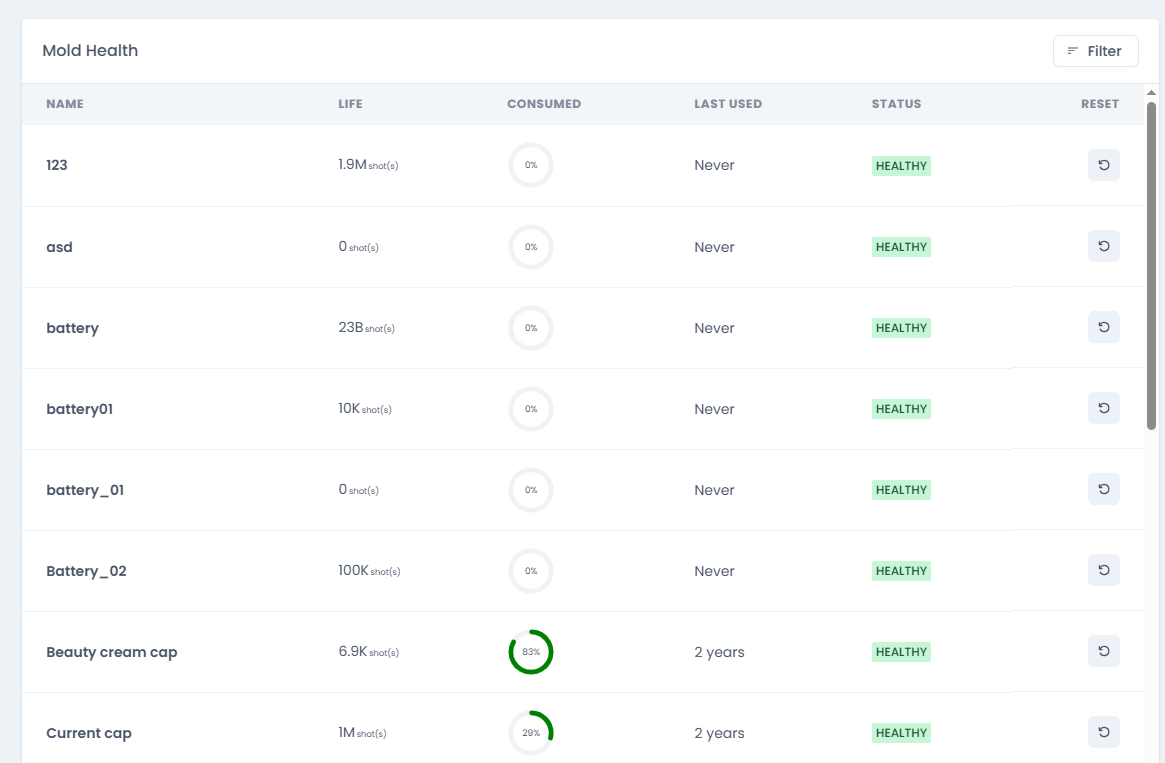
The table can be searched and sorted by Name, Life, Consumed, Status, or Last Used, ascending or descending.
Reset sets consumed shots back to zero after a confirmation and clears the related alert.
Mold life warnings and “mold life exceeded” errors also appear in the notification bell.
Molds Manager
The Molds Manager has two tabs: Install and Add.Add a Mold
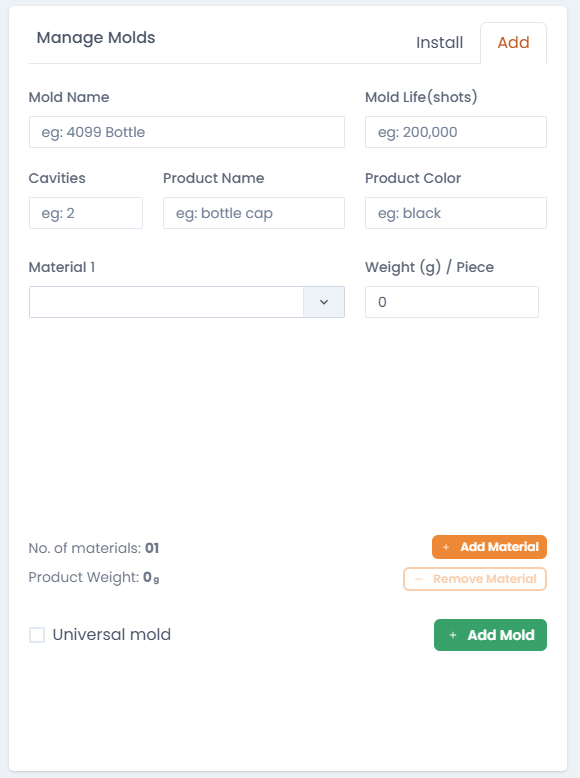
- Mold name
- Mold life (shots)
- Number of cavities
- Product name and product color
- One or more materials, entered by weight or by piece count
Install a Mold
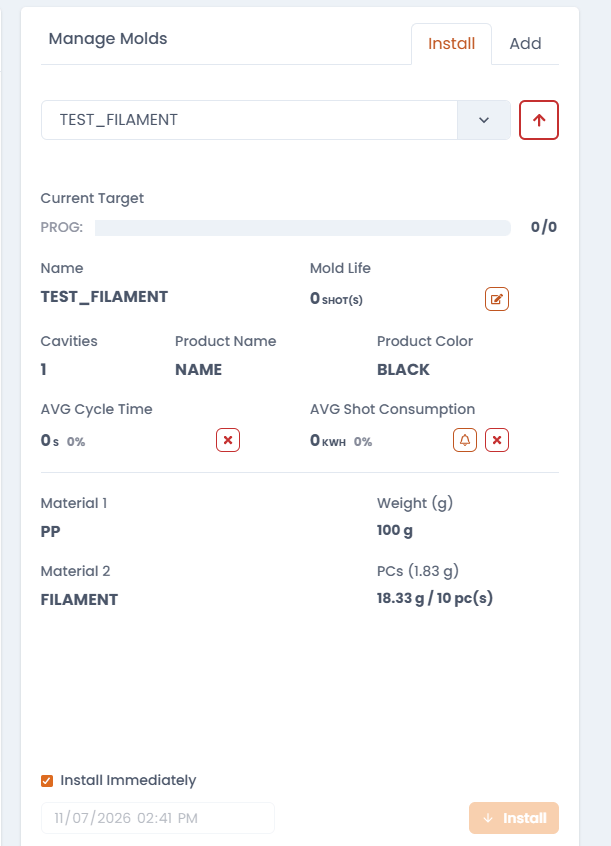
- Pick a mold.
- Choose Install Immediately, or schedule a date and time.
- Molds missing cavities, product details, or materials are rejected.
- The running mold can be uninstalled.
Managing a Selected Mold
For a selected mold you can also:- Edit the mold life
- Set the alert threshold (%)
- Reset the average consumption
- Reset the average cycle time
- Open Edit Mold to change details (the mold name is fixed and cannot be changed)
- Delete Mold, only when it is not installed
Thermocouple Card
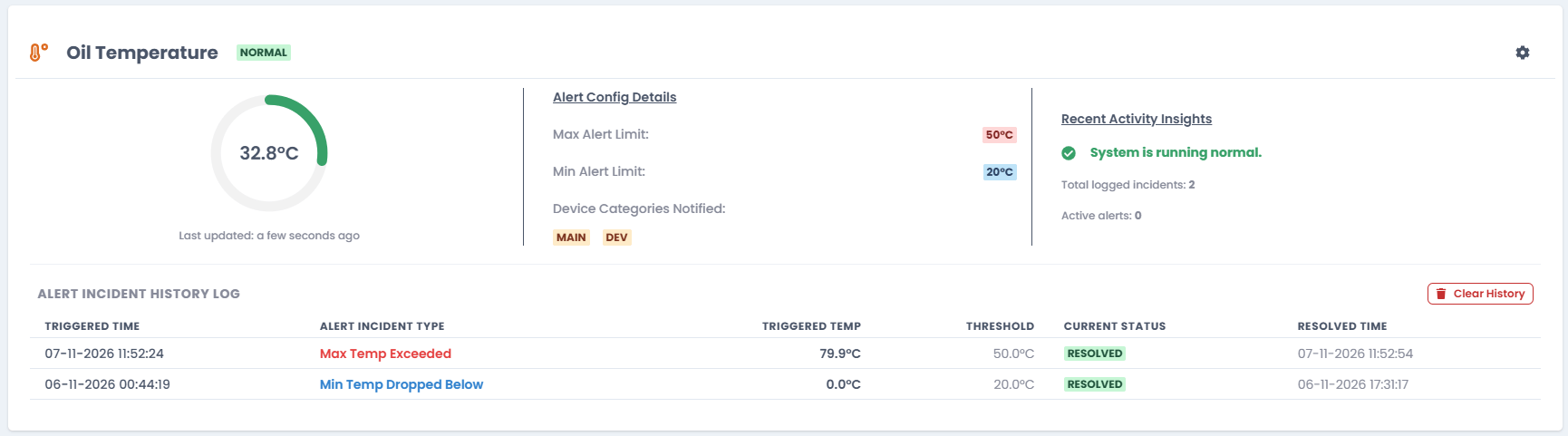
Settings
- Sensor display name
- Optional max limit and min limit alerts
- The device categories to notify