
Monitored Parameters & Sensor Channels
Industrial PMR environment sensor probes capture critical atmospheric metrics at designated factory zones:Environment Card Architecture
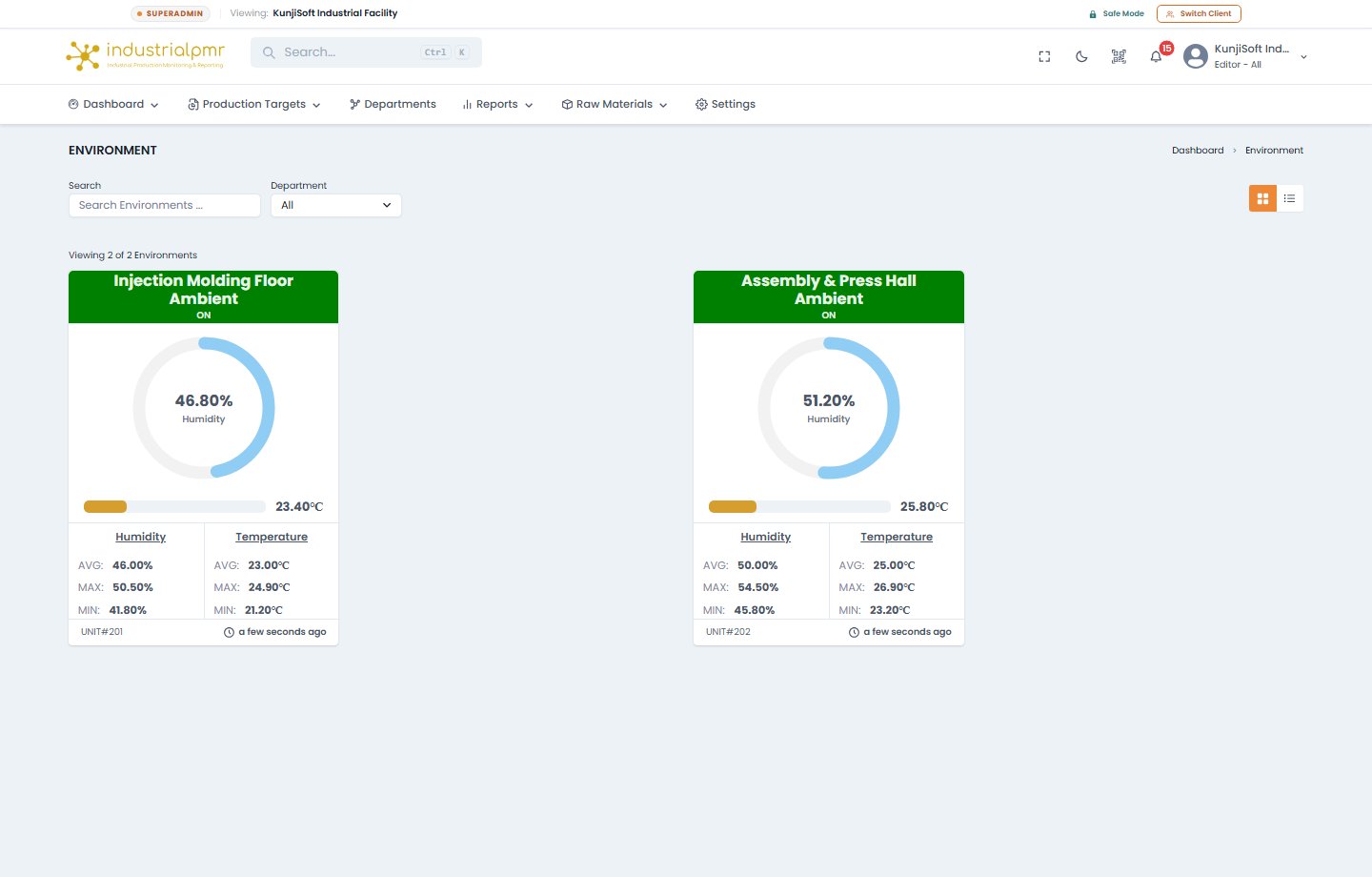
Each monitored physical space (e.g., Molding Hall A, Cleanroom Packaging, Raw Material Silo, Server Room) is represented by a dedicated status card:- Current Readings: Live instantaneous ambient temperature and humidity displayed in large format.
- Daily Dispersion Breakdown:
Today Min: Lowest recorded temperature/humidity within the active 24-hour manufacturing day.Today Max: Peak thermal/humidity reading reached.Today Avg: Mean operating conditions across all production shifts.
- Hardware Unit Binding: Shows the physical edge node ID (e.g.,
Unit#04) and communication state. - Sync Health: Timestamp badge displaying the latency of the last received environmental telemetry packet.
Alert Triggers & Floor Notifications
When ambient environmental readings drift outside pre-configured operational envelopes:- Visual Dashboard Banner: The zone card changes to an amber warning or red critical alert status.
- Push & SMS Alerts: Automated alert dispatches to HVAC engineers and quality assurance managers.
- Shift Report Correlation: Environmental excursions are automatically logged into the daily shift report, enabling quality engineers to correlate sudden part shrinkage, warpage, or splay defects with atmospheric shifts.
Layouts & Environment Detail
The Environments page can be viewed as a grid or a list. The list shows Environment, Current Stats, Today Temp Stats, and Today Humid Stats. Selecting an environment opens its detail page:
If no environment sensors are installed, the page shows No Environment sensors found! Contact support to add a new sensor.